


Adobe Reader is a powerful, efficient, and intuitive program that offers a range of features to make your experience efficient and enjoyable. Adobe Reader is the leading software helping you in accessing and creating documents. Its features provide the perfect balance between simplicity and sophistication. You can easily create and edit PDFs through powerful tools available in Adobe Reader. In this article, we will take a look at the features as well as the pricing of Adobe Acrobat Reader.





Features of Adobe Acrobat Reader
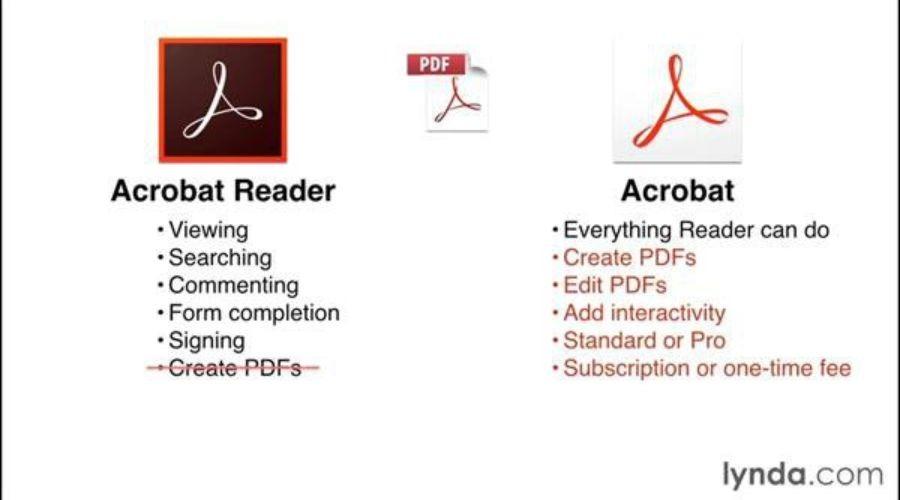
Adobe Acrobat Reader is not only a file reader, but it has more use than just opening and viewing PDFs. It has plenty of features that will help you to work with PDFs, annotating and editing to upload them on the cloud. Here we will see some of the key features of Adobe reader, which make it stand alone from all the other PDF tools.
1 . Annotate PDFs from Anywhere
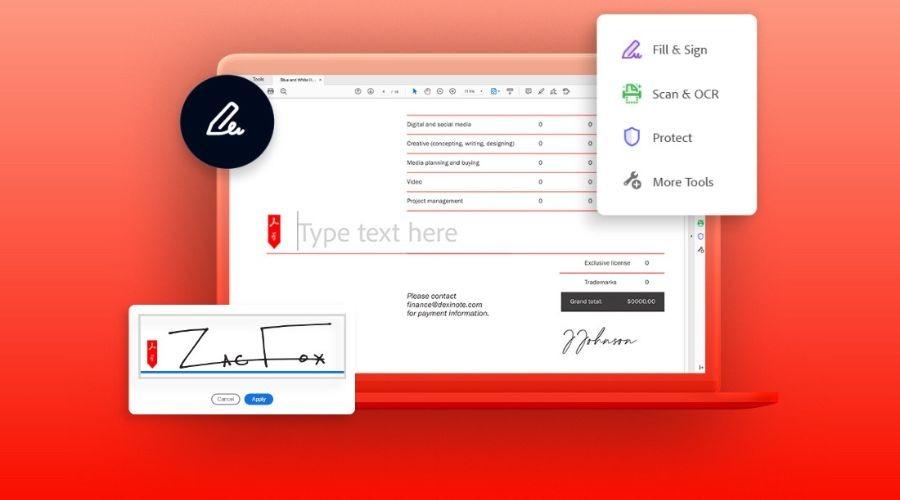
Adobe Acrobat Reader can help you to annotate and comment on documents using Sticky Notes, add bookmarks, highlight text, or use drawing tools. You can also add text directly onto the page or draw on the screen with a freehand drawing tool. You can even sign a document electronically, giving your signature a professional look and feel.
2. Easy cloud file Access
Adobe helps you to Connect to the Adobe Document Cloud so you can get easy access to your PDFs from anywhere in the world. You can even connect to other popular cloud storage such as Box, Dropbox, Google Drive, and Microsoft OneDrive.
3. The reader mobile app for PDF on the go
You can take your PDFs with you wherever you go with the Adobe Acrobat Reader mobile app. This free PDF reader app will let you view, comment, fill out, and sign PDF forms while you are on the go.
4. Read text out loud to read the document
You can simply plug in your earphone and listen to the PDF with the use of Acrobat Reader’s text-to-speech feature, which can read the text in multiple languages. That will allow you to skim through your documents or read them cover to cover without having to strain your eyes.
Adobe Acrobat Reader pricing
1. Adobe Acrobat Reader for individuals
Adobe Reader has various plans and prices to choose from, making it a great choice for individuals. Price to download Adobe Acrobat Reader is available in two different versions-
2. Acrobat Pro for Individuals
Acrobat pro offers a range of features at an affordable price. The monthly subscription price of this is US$19.99, and you can try a 14-day free trial period to evaluate the features and decide if Acrobat Pro is the right choice for you.
3. Acrobat Standard for Individuals
Acrobat Standard is cheaper than Acrobat Pro and offers various additional features. It comes with only a monthly subscription of US$12.99 and also gives you a 14-day free trial period.
B) Adobe Acrobat Reader for Teams
Adobe Acrobat Reader for Teams is a great option for those looking for team-friendly tools to create, edit, cooperate, and spread documents and PDFs. Through this, your team can effortlessly store, search for, and gain access to documents from any spot. It also provides you with tools like e-signatures, annotation, redaction, and powerful collaboration tools. The price of Adobe Acrobat Reader for Teams appears to be US$22.19/mo/license.
C) Adobe Acrobat Reader for Enterprise
If you are a large or medium-sized company, Adobe Acrobat Reader for Enterprise is a perfect choice. Because it can be tailored to meet your needs which can be high-volume document management, collaboration, and compliance. Adobe Reader for Enterprise comes with additional features such as e-signing, access control, advanced security, auditing, and reporting, which will help your enterprise.
Conclusion
Adobe Acrobat Reader is a perfect tool for accessing and creating documents. Having a variety of features, such as e-signing, annotation, and redaction, will make your day-to-day work easy. Additionally, the pricing option, such as individuals and Teams, makes it an ideal solution to offer you powerful features and collaboration tools at an affordable monthly subscription price. Hence, Adobe Acrobat Reader is a must-have tool, and Feedhour recommends it to anyone searching for a secure and reliable document management tool.