




Adobe RoboHelp is a powerful authoring tool that helps technical writers and documentation professionals create and publish high-quality, interactive content for a variety of platforms. With its advanced features and intuitive interface, Adobe RoboHelp is a popular choice for creating help files, user manuals, knowledge bases, and other technical documentation. Adobe Robohelp offers a wide range of features and capabilities that make it a versatile and effective tool for technical writing. One of its key features is the ability to create and manage content across multiple platforms, including desktops, mobile devices, and the web. This means that technical writers can create content once and publish it in multiple formats, making it accessible to users across a variety of devices and platforms.





Features of Adobe RoboHelp
Adobe RoboHelp is a powerful authoring tool used to create help documentation, user manuals, knowledge bases, and online learning materials. It provides a wide range of features that make it a popular choice among technical writers and content developers.
1. User-Friendly Interface
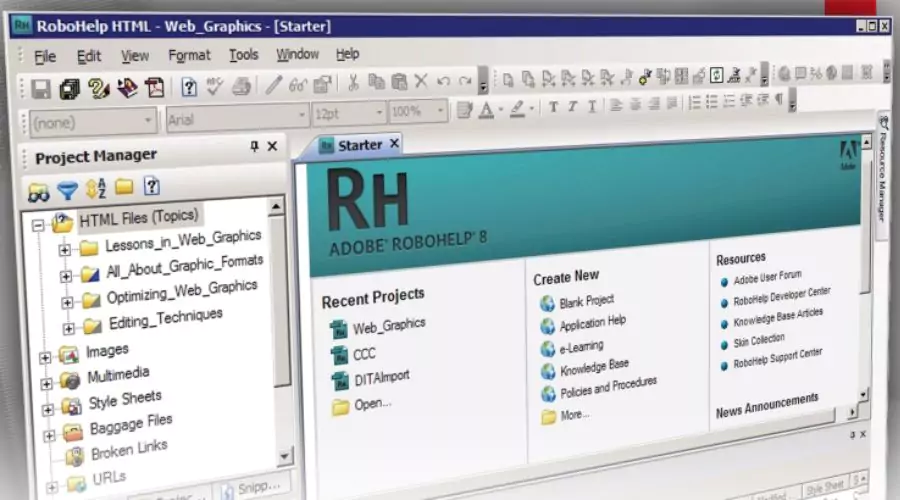
Adobe RoboHelp has a user-friendly interface that is easy to navigate. It has a customizable ribbon that allows users to access the most commonly used features quickly. The interface is intuitive and straightforward, making it easy for new users to get started.
2. Multi-Platform Support
One of the key features of Adobe RoboHelp is its multi-platform support. It can publish content in various formats, including HTML5, WebHelp, CHM, eBook, and PDF. This feature makes it easy for developers to create content that can be accessed across multiple platforms.
3. Responsive Design
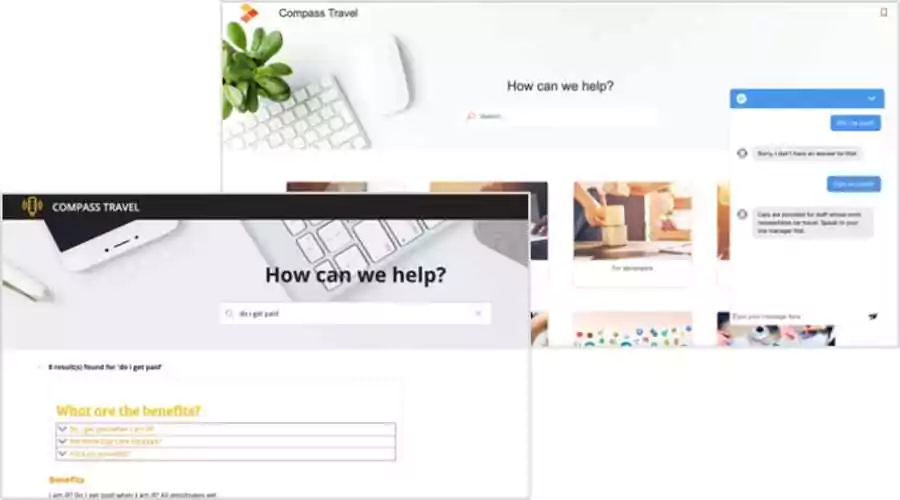
Another important feature of Adobe RoboHelp is its responsive design. It automatically adjusts the layout of the content to fit different screen sizes, including mobile devices. This feature ensures that users can access the content on any device, without compromising the quality of the user experience.
4. Collaboration
Adobe RoboHelp offers a collaborative environment that enables multiple users to work on the same project simultaneously. This feature allows content developers to collaborate with subject matter experts, reviewers, and other stakeholders to ensure the accuracy and quality of the content.
5. Content Reuse
Content reuse is another important feature of Adobe RoboHelp. It allows developers to reuse content across multiple projects, saving time and effort. This feature also ensures consistency in the content, making it easier to maintain and update.
6. Conditional Content
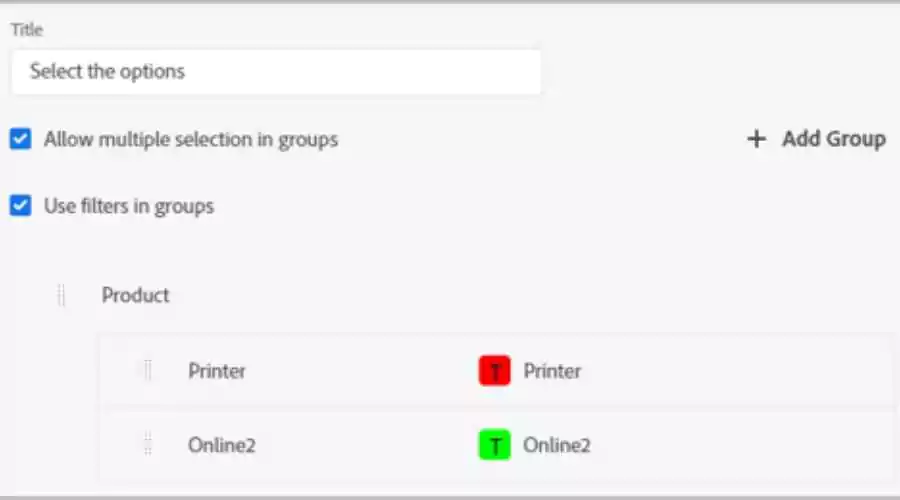
Adobe RoboHelp offers conditional content features that allow developers to create content that is tailored to specific audiences. It allows developers to create different versions of the same content, depending on the user’s needs. This feature is particularly useful for creating content in different languages or for different regions.
7. Robust Multimedia Support
Adobe RoboHelp supports a wide range of multimedia formats, including audio, video, and images. This feature makes it easy for developers to create engaging and interactive content that includes multimedia elements.
8. Integration with Other Tools

Adobe RoboHelp integrates with other Adobe tools, such as Adobe FrameMaker, Adobe Captivate, and Adobe Creative Cloud. This integration allows developers to create a seamless workflow, from content creation to publishing.
Benefits of Adobe RoboHelp
Adobe RoboHelp is a powerful and versatile technical documentation tool that has been helping content creators, technical writers, and instructional designers produce high-quality, interactive, and engaging documentation for over two decades. RoboHelp offers a wide range of features and capabilities that make it an ideal solution for anyone who needs to create online help, user manuals, knowledge bases, and other types of technical documentation.
1. Ease of Use
One of the main benefits of Adobe RoboHelp is its ease of use. The software has a user-friendly interface that makes it easy for even beginners to use. The software provides a wide range of templates and pre-built layouts that users can choose from, and it also includes a built-in HTML editor that allows users to create and edit content without any coding knowledge. This makes it possible for anyone to create professional-looking documentation without having to spend a lot of time learning complicated software.
2. Multiple Output Formats
Another key benefit of Adobe RoboHelp is its ability to output content in a wide range of formats. This means that users can create documentation once and then output it in a variety of formats, including HTML, PDF, and mobile apps. This not only saves time but also ensures that the documentation is accessible to a wider audience. Additionally, RoboHelp is compatible with many different platforms, including Windows and Mac, making it easy for users to work with the software regardless of their operating system.
3. Robust Collaboration Tools
Adobe RoboHelp also provides robust collaboration tools that allow teams to work together seamlessly. The software provides features such as version control, which allows team members to track changes and collaborate on content in real time. The software also allows users to import and export content, making it easy to share files and work together on larger projects. Additionally, RoboHelp integrates with other Adobe tools such as Adobe Captivate, making it possible to create interactive tutorials and eLearning courses.
Conclusion
In conclusion, Adobe RoboHelp is a powerful and versatile tool for technical writing and documentation. Its multi-platform support, responsive design capabilities, advanced authoring environment, collaboration and review features, and analytics and reporting capabilities make it an ideal choice for any organization that needs to create and publish high-quality, interactive technical documentation. Whether you are creating user manuals, help files, knowledge bases, or any other type of technical documentation, Adobe RoboHelp is a valuable tool that can help you streamline your workflow, improve your content, and deliver a better user experience to your users. Moreover, you can check the official Feedhour website to learn more about Adobe RoboHelp crack.