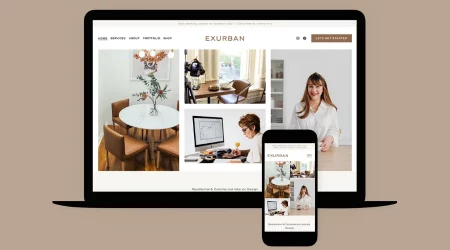




Understand your audience and their needs. Get detailed information about your target group’s preferences, needs and eating patterns. You can easily use custom merchandise integration to create print-on-demand items and sync them with your online store. In this blog, Feedhour will help you understand how you can make elegant restaurant templates for your eateries too.
What should Restaurant Templates look like?
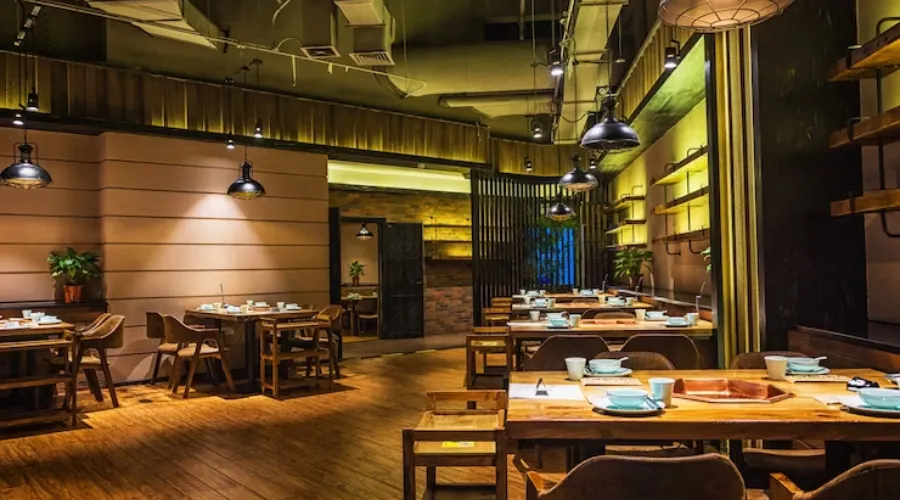
The style and execution of your restaurant templates’ aesthetic should reflect the values and energy of your brand. Building a brand begins with defining the details that guide your decisions when designing your website. Is your food Mexican, Cuban, Continental?
Choose a color palette that reflects your brand’s personality and values. Consider how certain colors and shades make you feel and whether they reflect your brand’s energy. Use these colors consistently across all elements of your website such as headers, buttons, and backgrounds.
Logo is another important element of your brand identity. A logo can be as simple as your initials or a stylized version of your company name but it should reflect the nature of your business.
Squarespace lets you make restaurant templates for your business and sell subscription products and gift cards. Subscriptions can be useful if you sell products that need to be replaced or if your fashion brand regularly runs sales and product launches.
How to make Restaurant Templates on Squarespace?

First, visit the Tock website. Tock is Squarespace’s tool for the hospitality industry. You can easily check out the restaurant templates or customize one for yourself.
1. Start with a Restaurant Design
While all Squarespace websites have built-in design tools for creating exciting and original restaurant templates, you can start with a theme from the Restaurants category. These food-focused designs will make your kitchen stand out by putting important details at just the right places.
- Click Preview Any Theme or click Start With to create a new site with that theme.
- Choose a website billing plan with the features you need
When upgrading your website to a paid service, remember that some of the features listed in this guide are premium features, including menu blocks for displaying menus and integrated commercial platform for online sales of food and perishable products.
If you need these features, we recommend subscribing to the Business, Commerce, Professional, and Premium plans.
2. Reservation Process
Ensure that visitors can select the number of guests, booking date and time directly on your website. They will then be redirected to the Tock website to complete the booking.
If you want customers to call or email to make a reservation, display the email address and phone number on your home or contact page for easy accessibility.
3. Online Order Facilities
Increase your pickup and delivery orders by adding online delivery links to your website. You can use the Tock booking block or navigation link to connect to Tock delivery options.
4. Time and Place of Business-
You can prominently display business hours and location information in several ways:
- Create a page with a contact layout so visitors can find this information in the navigation menu.
- Add a text frame and a card frame to a blank layout page, then set that page as your home page.
- Add a contact section to any page.
- Add your business hours and location to your footer so they are visible on every page of your website.
5. Add Your Menu
Use section or menu layouts to create clean and elegant menus that fit your website design. Unlike PDF files, all text in the menu block can be indexed by search engines, which can aid in search engine optimization. If you have multiple menus, you can place multiple menu block pages in a folder to create a drop-down menu.
6. Use Images
Professionally taken product photos are essential for your online shop. Shoppers want to see images that authentically represent the products they will receive in their order. In addition, well-taken product photos prove your professionalism and reliability.
You can hire an outside photographer or company to take great photos. Alternatively, you can take valuable product photos yourself using your smartphone camera and a little skill.
7. Build Engaging Content
Create professional-quality content to showcase your menu and space with the Squarespace iOS Marketing Kit. Highlight content on your website or share it on social media platforms.
8. Create Subscriptions and Offers
Create subscription plans that generate recurring revenue. You can also make an inventory list to view a list of retailers selling your products. It is very important to Invest in regional shipping zones to offer inclusive shipping, delivery, or pickup options
Sell gift cards that customers can use in your online store. Gift cards drive customer loyalty when recipients visit your store or website to redeem them. This can help you retain customers and keep your brand at the top of their mind. You can attract new customers who may not have had contact with your business before. When existing customers purchase gift cards for their friends or family, they are effectively introducing your brand to potential new customers.
9. Promote Social Exchange
Link to Facebook, Twitter, Yelp, or other social media platforms on restaurant templates so you can promote your profiles by displaying social icons.
10. Search Engine Optimization
Providing your physical location on your website allows Google to identify your location and promote your results in local searches. Adding your data to third-party platforms like your Google Business Profile, verifying your website in Google Search Console, and following these best practices can improve your restaurant’s search rankings.
Conclusion
Creating defined restaurant templates can be a great way to promote your business. Ensure to keep all the relevant information and reject anything that looks tacky or unnecessary. You can easily use Squarespace’s tools to make templates and build your own website. Check out these tips and tricks by Feedhour and expand your reach to a larger base.